
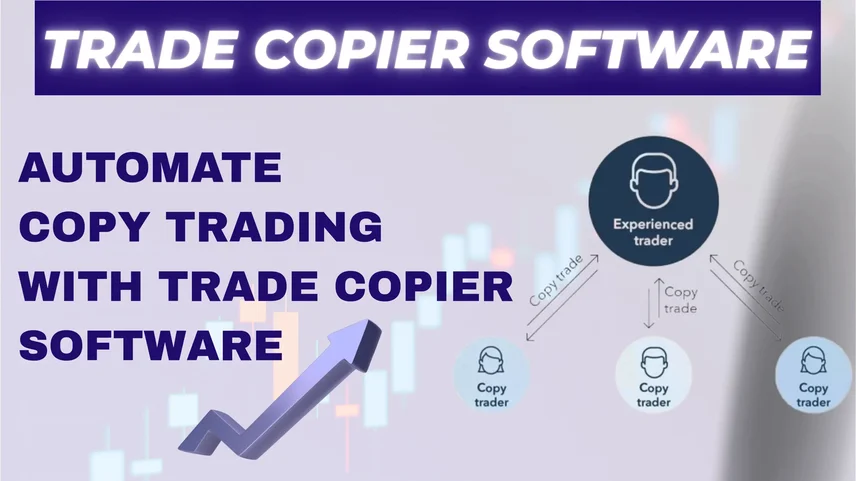
Automation in the fast-paced world of online trading has become the primary means of working with maximum efficiency, accuracy and consistent performance. Trade Copier Software is one of the newest and best automation tools in modern trading. Trade Copier Software allows traders to automatically copy trades from a "master" account to multiple "follower" accounts without the need for manual execution. In this article, we will look at ways to automate your copy trading process using Trade Copier Software by Combiz, which is one of the greatest trade copier software solutions.
To improve execution stability and reduce connectivity issues, modern systems also support Copy trading using Static IP along with Static IP setup, which helps maintain a fixed and secure connection between trading accounts and servers.
Trade Copier Software is an automated system that allows you to connect multiple trading accounts, thus enabling the automatic copying of trades from a master account to multiple follower accounts. This means, every time a trade is executed in the master trading account, it will be executed in each connected follower account in a timely manner, with accuracy and consistency.
For traders who open multiple accounts or are managing client or group portfolios, software is an efficient solution that frees them from entering manual orders with every position. Features like Static IP setup further enhance connection stability and execution reliability.
The software offered by Combiz is one of India’s best trade copy solutions, offering a sophisticated and easy-to-use platform for traders. When using Combiz Trade Copier Software traders can automate their entire trading process while maintaining their full control over risk, lot size, and strategy control over their trading process. Regardless of whether trader trades forex, stock, or derivatives, the Combiz trade copier app offers high speed execution and account synchronization.
With advanced infrastructure support like Copy trading using Static IP, traders can ensure uninterrupted trade execution even during high market volatility.
1. Select a Trade Copier
To begin, select a dependable and efficient trade copier that supports the broker platform and trading style of your choice. Combiz offers a professional-grade trade copier that works with MT4, MT5, and other trading systems. The Combiz trade copier has both cloud-based and local trade copier options to deliver smooth performance and connectivity.
2. Set Up and Link Accounts
Create one master account (the leader) and one or more follower accounts (the clients). You can link the follower account (clients) in the Combiz Trade Copier Software by entering your broker credentials or API information. At this stage, implementing a proper Static IP setup helps ensure secure and stable API connectivity between accounts.
3. Set up Your Copy Settings
After linking your accounts, you will want to set up a few key settings:
4. Activate and Observe Copying
You are ready to start the copying process by selecting the start copy trading option in the software. Once activated, any trade transactions placed in the master account will instantly be copied over to all follower accounts.
Combiz offers real-time analytics and tracking to observe the performance and make adjustments if desired.
Automating copy trading through Trade Copier Software is a good choice for traders looking for consistent performance without the need to monitor the trade constantly. With Combiz Trade Copier, you can effectively copy trades, minimize risk, and concentrate on strategy rather than execution. Advanced features like Copy trading using Static IP and Static IP setup further enhance stability, making the system more reliable for professional trading environments.